Google Play Store PC
Gives you access to any type of Apk Android App on your Windows PC.

Safe & Secure
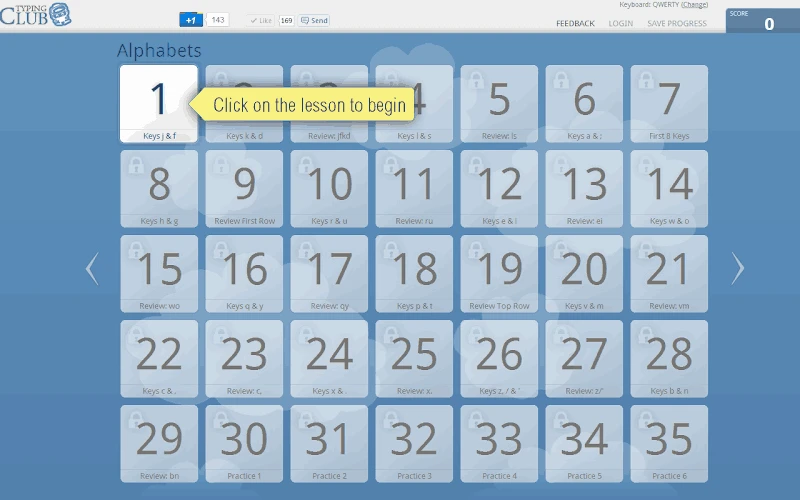
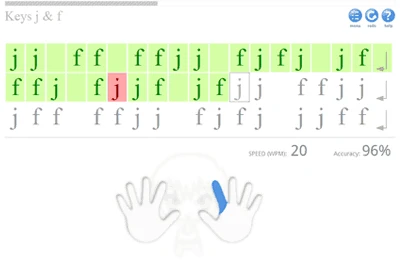
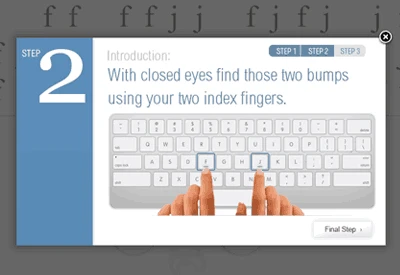

TypingClub is a comprehensive educational tool to enable users to enhance their touch-typing skills, offering structured lessons and interactive exercises. It allows teachers to enhance standard QWERTY keyboard skills among students, creating lesson plans, tests, and even homework assignments. The structured design makes it possible to reliably develop typing habits.
The browser-based software proves to be the best choice for new learners; you can use the alternative app Typing Master, as it gradually offers keyboard skills through interactive games, videos, and typing challenges. The successful learners are awarded with stars and badges for giving motivation to continue practice.
Enhance your typing skills with the help of this comprehensive educational software, as it offers wide variety of lessons for your ease to select. It proves to be the best option for students and also to enhance keyboard skills at home. It also enables teachers to use different tools for improving typing skills as well as learning a new language. It doesn’t require any account creation process if you only use it for personal needs. Instead, directly access to the lessons. However, a teacher needs to create a classroom account with individual classes set up and share login information with each student.
Teachers can create lessons on different levels using the built-in lesson plans. It offers a complete schedule for lessons and also allows teachers to create their own lessons according to any particular teaching technique or visual interface. The lessons are created in different scenarios, from simple to complex, focused on any specific topic or broad range. This customized environment makes everything clear and smooth, enabling the teachers to personalize their curriculum. It also helps the youngest students, offering lessons with visualizations and game structures.
Adjustable text sizes, high-contrast displays, and audio guidance are different accessibility options to satisfy learning habits. These visuals can help the learners to enhance their independent study, but all can better only with regular practice, and repetitive exercises. In this way, the learners can engage more reliably, as students have a personalized dashboard to monitor their milestones. However, the requirement of an internet connection can limit offline learning. Moreover, the free version offers basic functionality, and students need to purchase the paid ‘School Edition’ version to use the advanced classroom management tools.
Pros
Cons

Gives you access to any type of Apk Android App on your Windows PC.

PC App Store download, install, and keeps up-to-date your PC programs
free emulator to play Android apps on your pc with extra performance, reliability

Bijoy Bayanno the most powerful software to write Bengali language on PC

Media Creation Tool is upgrading and installing Windows 10 bootable installed disks.

Rufus easily change your USB Flash to a bootable ISO flash drives.